
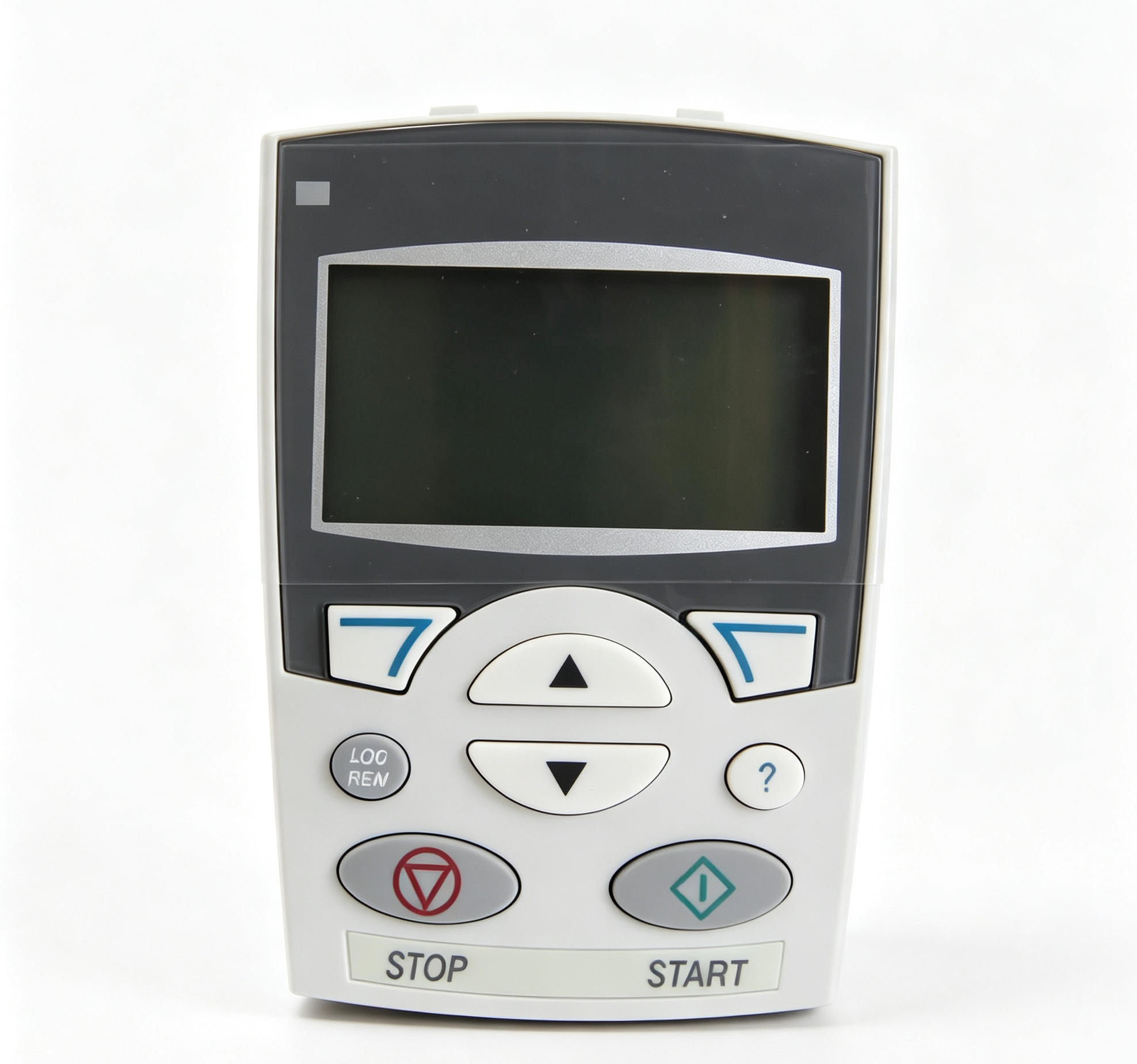
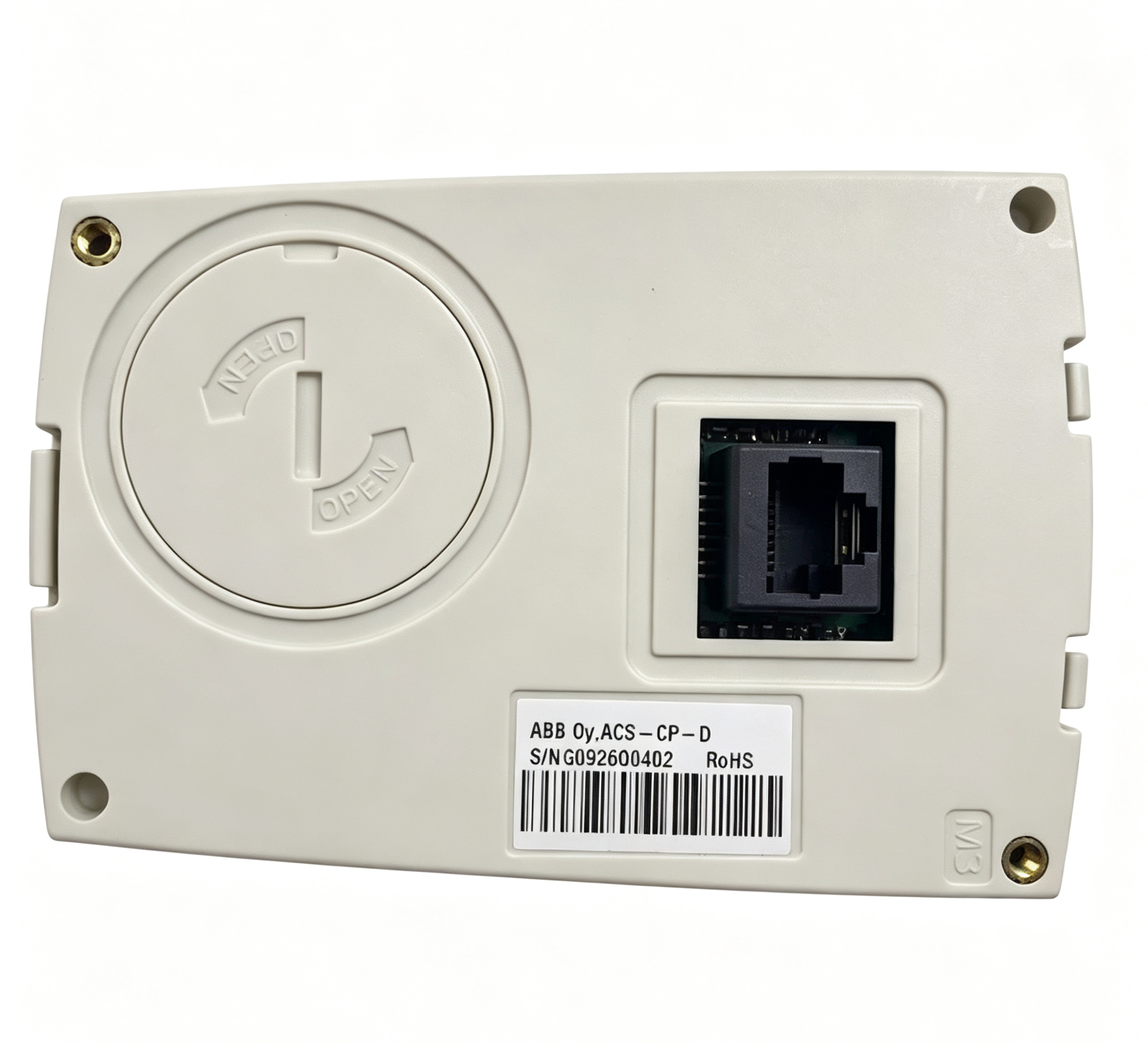
ABB ACS-CP-D Assistant Control Panel for ACS310 ACS355 ACS510 ACS550 Drives
Unlike a basic numerical control panel, the ACS-CP-D belongs to the Assistant Control Panel family. Its user interface is designed to simplify commissioning and parameter configuration by providing structured menus and application-oriented functions. The panel can be used as a local interface when setting up or maintaining a compatible ABB drive installation.
ABB documentation identifies the ACS-CP-D as a separately ordered panel with its own material code. This distinguishes it from certain drive configurations where a control panel option is incorporated into the drive type designation.
ABB ACS-CP-D Product Overview
The ACS-CP-D provides an operator interface between the user and the connected ABB drive. Through the panel, users can access drive parameters, monitor status information, control the drive and perform configuration procedures.
The panel is particularly useful during commissioning because many drive parameters need to be configured according to the motor, control method, application and operating environment. Instead of accessing these parameters through an external computer, the ACS-CP-D provides a local interface directly at the drive.
ABB documentation describes Assistant Control Panels as panels that include pre-programmed assistants for common parameter setup tasks. These functions can help organize the commissioning process by guiding the operator through relevant configuration steps.
The ACS-CP-D is specifically identified as the Asian version of the Assistant Control Panel. The language availability and exact user-interface behavior depend on the panel firmware and the connected drive.
Compatible ABB Drive Families
ABB identifies the ACS-CP-D as compatible with several low-voltage AC drive families. These include the ACS310, ACS355, ACS510 and ACS550 series. This compatibility makes the panel applicable to a range of ABB general-purpose and machinery-oriented variable frequency drive installations.
- Panel Type: ACS-CP-D
- Panel Description: Assistant Control Panel (Asia)
- ACS310: Compatible
- ACS355: Compatible
- ACS510: Compatible
- ACS550: Compatible
- Panel Revision: Rev. P or later according to applicable ABB documentation
- Panel Firmware: Version 2.04 or later according to applicable ABB documentation
The exact compatibility of an individual panel should be checked against the drive model and panel revision. ABB’s manuals specify minimum panel revision and firmware requirements for the applicable drive families.
Assistant Control Panel Functions
The ACS-CP-D provides functions for controlling and monitoring the connected drive. Depending on the connected drive and configuration, the operator can use the panel to start or stop the drive, change reference values, monitor status information and access parameters.
The control panel also provides access to drive configuration settings. Parameters determine many aspects of drive operation, including motor data, acceleration and deceleration behavior, reference sources, control modes, protection settings and application-specific functions.
Using a dedicated local control panel can be particularly useful during commissioning and maintenance. Technicians can inspect drive parameters and operating values directly at the equipment without requiring a separate external interface.
Parameter Configuration
Parameter configuration is one of the main functions of the ABB Assistant Control Panel. A variable frequency drive requires appropriate parameter values to operate correctly with the connected motor and application. The ACS-CP-D provides a structured interface for accessing these settings.
During commissioning, motor nameplate information can be entered into the drive so that the control algorithm can operate according to the characteristics of the connected motor. Other parameters can define the source of the speed reference, digital input functions, relay outputs, ramp times and protection limits.
The appropriate parameters depend on the exact ABB drive model and application. The ACS-CP-D should therefore be used together with the user manual for the connected drive rather than as an independent source of configuration values.
When replacing a control panel, existing drive parameters remain associated with the drive’s internal configuration. The panel acts as the local interface used to view or modify those parameters. Any configuration changes should be recorded as part of the equipment maintenance documentation.
Drive Monitoring
The ACS-CP-D can be used to monitor operating information from a compatible ABB drive. Depending on the drive family and configuration, available monitoring values can include output frequency, motor speed, current, voltage, reference values, status information and fault conditions.
Monitoring functions are useful during commissioning because they allow technicians to observe how the drive responds to commands and parameter changes. During maintenance, status information and fault indications can also assist with identifying the operating condition of the drive.
The exact monitoring values and display structure depend on the connected drive. The ACS-CP-D should therefore be considered a common user interface for compatible ABB drive families rather than a panel with identical functions across every drive model.
Commissioning Applications
The Assistant Control Panel is designed to simplify common drive commissioning procedures. The panel provides menu-based access to configuration functions and can present application-related setup information through its assistant interface.
For an ACS310, ACS355, ACS510 or ACS550 installation, the technician can connect the panel to the drive and use the available menus to configure the drive according to the application. The specific commissioning sequence should follow the manual applicable to the drive model.
Commissioning normally involves confirming the drive type, motor data, control method, reference source, acceleration and deceleration parameters, protection settings and operating limits. After configuration, the motor and application should be checked under the appropriate operating conditions.
ACS-CP-D and ACS-CP-A
The ACS-CP-D and ACS-CP-A are both Assistant Control Panels, but ABB identifies the ACS-CP-D specifically as the Assistant Control Panel (Asia). The panel type should therefore be checked carefully when selecting an accessory for an ABB drive.
ABB documentation lists the ACS-CP-A for several drive families and separately identifies the ACS-CP-D for Asian-market configurations. Although the two panels belong to the same general Assistant Control Panel family, their documented language support and product configuration can differ.
For replacement purposes, the complete panel designation should be matched to the existing equipment documentation. The connected drive model, panel revision and firmware version should also be considered when confirming compatibility.
Panel Revision and Firmware
Panel revision is an important identification detail for the ACS-CP-D. ABB’s ACS310 documentation specifies that the ACS-CP-D is compatible with panel revision P or later and firmware version 2.04 or later for the applicable ACS310 configuration.
The panel revision can normally be identified from the label on the rear of the control panel. The firmware version can be accessed through the panel interface according to the applicable ABB instructions.
When a control panel is being replaced, checking these details helps ensure that the selected panel meets the compatibility requirements of the connected drive. It is particularly important when working with older installations where drive and panel revisions may differ.
Local Drive Operation
The ACS-CP-D allows an operator to interact directly with the drive from the local control interface. Local operation can be useful during commissioning, troubleshooting and maintenance because the technician can observe drive information while working at the equipment.
Depending on the connected drive configuration, local control can involve setting a reference value and issuing run or stop commands through the panel. The control source must be configured correctly before local commands can control the drive.
Care should be taken when switching between local and external control modes. The behavior of the drive depends on the active control source and configured parameters. The applicable drive manual should be followed whenever control-source settings are changed.
Maintenance and Replacement
The ACS-CP-D is designed as a removable control interface for compatible ABB drives. During maintenance, the panel can be inspected for display, keypad and communication-interface operation.
When replacing the panel, the technician should first identify the connected drive model and confirm that the ACS-CP-D is an applicable control panel for that drive. The panel revision and firmware requirements should also be checked when specified by the drive documentation.
The panel should be connected and removed according to the applicable ABB safety and installation instructions. Drive power should be handled according to the required electrical isolation procedure before performing service work.
After installation, the control panel should be checked for proper communication with the drive. The drive status, parameter access and available control functions should be verified before returning the equipment to normal operation.
Application in Industrial Automation
The ABB ACS-CP-D can form part of industrial automation systems where ABB low-voltage AC drives are used for motor speed control. The panel itself does not perform the motor power conversion function. Instead, it provides the human-machine interface required to configure and operate the drive.
Applications can include pumps, fans, conveyors, machinery, material handling systems and other motor-driven equipment using compatible ABB drives. The actual application depends on the connected ACS drive model and its configured control functions.
For maintenance teams, the panel provides a convenient local interface for checking operating data and drive parameters. For commissioning engineers, the Assistant Control Panel can provide structured access to common setup functions.
Product Identification
The complete product designation is ABB ACS-CP-D. It should not be confused with ABB’s CP-D power supply family. The ACS-CP-D is a drive control panel, while ABB also uses the CP-D designation for a separate range of DIN-rail power supplies. The “ACS” prefix is therefore important when identifying this control panel.
ABB’s official product information identifies ACS-CP-D as an Assistant Control Panel for ACS310, ACS350/355, ACS510 and ACS550-related drive applications. ABB’s documentation also indicates that the panel is ordered using a separate material code rather than being represented by the same option code structure used for some other panel configurations.
Summary
The ABB ACS-CP-D is an Assistant Control Panel (Asia) designed for compatible ABB low-voltage AC drives. ABB documentation identifies it for use with the ACS310, ACS355, ACS510 and ACS550 drive families.
The panel provides a local interface for drive control, parameter configuration, status monitoring and commissioning. Its Assistant Control Panel design provides structured menus and pre-programmed assistance for common drive setup tasks.
For applicable configurations, ABB specifies ACS-CP-D panel revision P or later and firmware version 2.04 or later. When identifying or replacing the panel, the connected drive model, panel revision, firmware version and applicable ABB documentation should be checked together.
评价
目前还没有评价